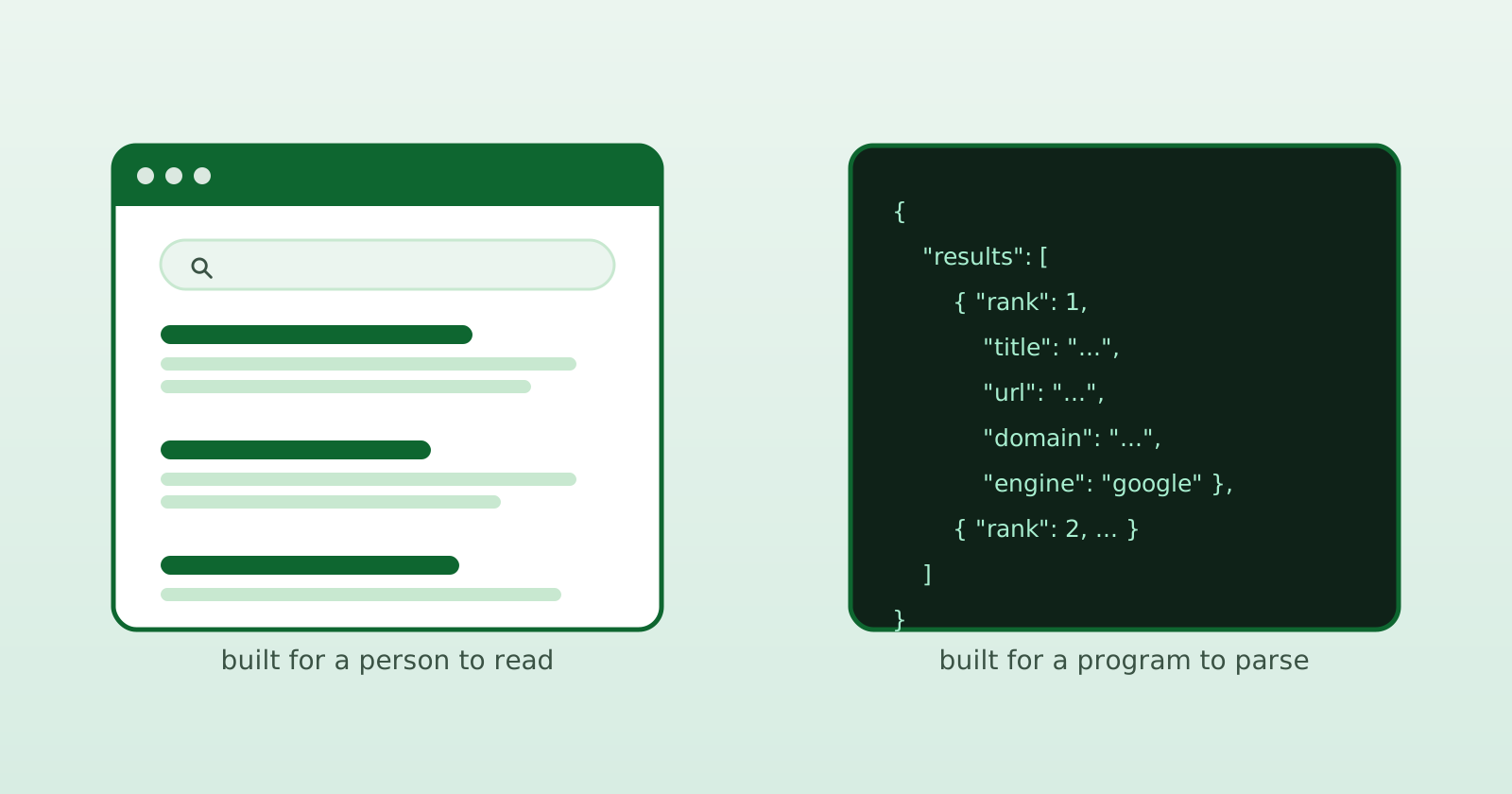
People keep filing OpenSERP next to SearXNG, and I get why - both are open source, both touch search engines, both let you avoid handing your queries to Big Search. But after the tenth “so it’s a SearXNG alternative?” I figured it’s worth writing down properly: they solve different problems. Comparing them is a bit like comparing a great browser to a great HTTP library. Related neighborhood, completely different job.
Let me make the case for both honestly, and then you can decide which one you actually need.
First, credit where it’s due: SearXNG is excellent
SearXNG is a privacy-respecting metasearch engine. You self-host it, you (or your users) open it in a browser, type a query, and it fans that query out to dozens of search engines, aggregates the results, and shows them in a clean UI - without building an advertising profile around every search. It strips trackers from result links. It’s fast, it’s mature, it’s actively maintained, and the project has a genuinely great community.
If what you want is “Google, but it doesn’t spy on me, and it pulls from many engines at once” - stop reading and go set up SearXNG. It’s the right answer. I mean that.
SearXNG also has a search API with JSON, CSV, and RSS output when those formats are enabled. The confusion starts when people want an engine-specific structured scraping and extraction backend. That is not SearXNG’s main job, and that is the gap OpenSERP fills.
What OpenSERP actually is
OpenSERP is a self-hostable SERP API. The closest analogues aren’t metasearch engines at all - they’re the paid SERP APIs like SerpAPI, DataForSEO, and Tavily. It’s a backend that scrapes rendered search engine result pages and hands them back to your code as structured data (JSON, NDJSON, Markdown). No human in the loop. Just request in -> clean data out.
That’s the whole personality of the project. SearXNG is primarily a search destination. OpenSERP is a service your code calls.
# OpenSERP is something your program talks to, not a page you open
curl "http://localhost:7000/google/search?text=banana&lang=EN"
The core difference: HTTP requests vs a real browser
Here’s the one technical distinction that drives almost everything else.
SearXNG makes HTTP client requests to scrape engine results. That’s lightweight and great for a privacy frontend serving interactive queries. Point sustained automation at those engines, though, and you can run into the wall every scraper hits: CAPTCHAs, rate limits, disabled engines, or results that quietly stop coming.
OpenSERP drives a real, rendered browser. It loads the result page, executes JavaScript, waits for the page to render, and then parses it. This is heavier per request, on purpose. The payoff:
- Fewer blocks than a bare HTTP client in many setups, because the browser signals match the runtime making the request.
- Access to JavaScript-rendered content that a simple HTTP response may not contain.
- Fingerprint control - custom browser profiles you can shape instead of relying on a generic stealth toggle.
A rendered browser is still automation. It does not make blocks impossible, and request rate and network reputation still matter.
It’s the classic quality-vs-quantity trade. SearXNG optimizes for breadth - dozens of engines and fast, aggregated results. OpenSERP optimizes for automatable, structured output from Google, Bing, Yandex, Baidu, DuckDuckGo, and Ecosia.
The feature SearXNG doesn’t have: on-page extraction
This is my favorite part and it’s the clearest “different tool” signal.
OpenSERP can extract on-page content in the same request. Picture the workflow that makes this matter:
- Search
"banana"- get 10 SERP results. - Open each result page.
- Pull the actual page content out as clean Markdown or text.
- Hand that straight to an LLM as context.
That’s a one-stop pipeline from “a query” to “documents an AI can read.” SearXNG gives you search results; fetching and cleaning the pages behind those links is a separate job. For RAG, AI agents, and grounding, that built-in extraction step removes a lot of glue code.
Built to be a backend (in all the boring, important ways)
A few more things that make sense for an API and would be odd for a metasearch UI:
- Single-binary deployment. No Redis, no WSGI stack, no sidecars. Caching is implemented internally.
docker runand you’re live. - CLI mode. Use it straight from the terminal or a shell script, no server needed, for quick jobs and pipelines.
- Machine-friendly output. Markdown and NDJSON, not just a pretty results page - because the consumer is a program, a data warehouse, or a model.
# Single binary. No external services. Done.
docker run -p 7000:7000 karust/openserp serve
Maintained since 2023
OpenSERP is from mid-2023 and has been maintained continuously ever since. This category demands it: keeping SERP parsers and browser profiles working as engines change their HTML and defenses is ongoing, hands-on work. That cat-and-mouse is the product, and it’s exactly why a tool like this earns its keep over a scraper you maintain alone.
So which one do you want?
A cheat sheet:
| You want… | Reach for |
|---|---|
| A private search page for yourself or your team | SearXNG |
| Dozens of engines aggregated in one clean UI | SearXNG |
| JSON, CSV, or RSS from an aggregated metasearch | SearXNG |
| Engine-specific structured SERP data in your code | OpenSERP |
| Page content extracted to Markdown for an LLM | OpenSERP |
| Browser-rendered scraping under automation | OpenSERP |
| A self-hostable SerpAPI / DataForSEO-style backend | OpenSERP |
There’s no rivalry here. SearXNG is a fantastic privacy frontend and metasearch API. OpenSERP is a SERP automation backend for SEO, rank tracking, RAG, and agents. If engine-specific search results need to flow into software, that’s us.
Try it in two minutes
OpenSERP is free and open source, and the server needs no API key:
docker run -p 7000:7000 karust/openserp serve
curl "http://localhost:7000/google/search?text=searxng+vs+openserp&lang=EN"
From code, the SDK is one install:
npm install @openserp/sdk
import { OpenSERP } from "@openserp/sdk";

const client = new OpenSERP({ baseUrl: "http://localhost:7000" });

const { results } = await client.search({
  engine: "google",
  text: "searxng vs openserp",
  limit: 10,
});

for (const r of results) {
  console.log(r.rank, r.title, r.url);
}
When you’d rather not run and babysit your own browsers, the managed OpenSERP Cloud uses the same SDK and familiar request shape - none of the ops. Either way, the goal is the same one we’ve had since 2023: a free, reliable tool for SERP automation, for businesses and enthusiasts alike.
New to the category? Start with What Is a SERP API?. Fighting blocks already? Read Why Your Google Scraper Keeps Getting Blocked.